
Kasir Pintar Desktop Plugin Is Now Available for PC & Mac
Kasir Pintar Pro - Plugin
Manage Transactions and Monitor Your Business More Comfortably on a Larger Screen. Kasir Pintar POS for staff transactions and Kasir Pintar Dashboard for business owners.

Kasir Pintar Desktop Plugin — Bigger Screen, Faster Transactions & More Comfortable Data Entry
Kasir Pintar Desktop Plugin — Owners Can Monitor Reports from a PC Without Constantly Using a Phone
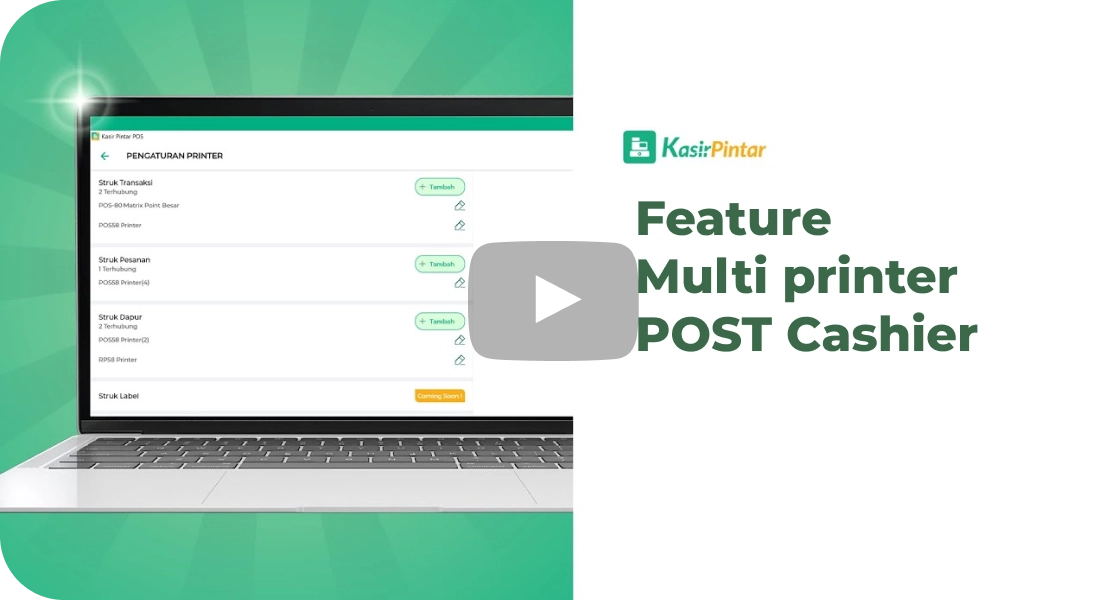
Kasir Pintar Desktop Plugin — Supports Various Receipt Printers (Thermal & Dot Matrix)
Kasir Pintar Desktop Plugin — Real-Time Cloud Synchronization
Kasir Pintar Desktop Plugin — Available for Windows & macOS
What is Kasir Pintar Desktop?
Kasir Pintar Desktop is a desktop version of the Kasir Pintar application that can be run on laptops or computers to support your business. This application is a plugin that is connected to the Kasir Pintar Pro (Mobile Version) application.
Price Rp / Month
If Your Business Has Leveled Up,
Why Is Your System Still Limited to a Phone?
Phones are practical, but a small screen is not enough to manage busy transactions. Kasir Pintar Desktop Plugin is the solution.
Using a POS on a Phone Feels Less Comfortable
Small screens heat up quickly and batteries do not last long. During peak hours, performance slows down.
Receipt Printers Are Difficult to Connect
Phones are not always compatible with every printer. Multiple adapters are often required.
Monitoring Reports Is Less Practical
Viewing sales and inventory reports on a phone screen makes in-depth analysis difficult.
Data Is Not Synchronized
Without an integrated system, phone and computer data operate separately.
All the problems above can be solved with Plugin Desktop Kasir Pintar
Introducing two fully connected applications: POS for staff and Dashboard for business owner monitoring.

Kasir Pintar POS Desktop
The Kasir Pintar POS Desktop application is a cashier application designed for owners or staff to conduct daily transactions.
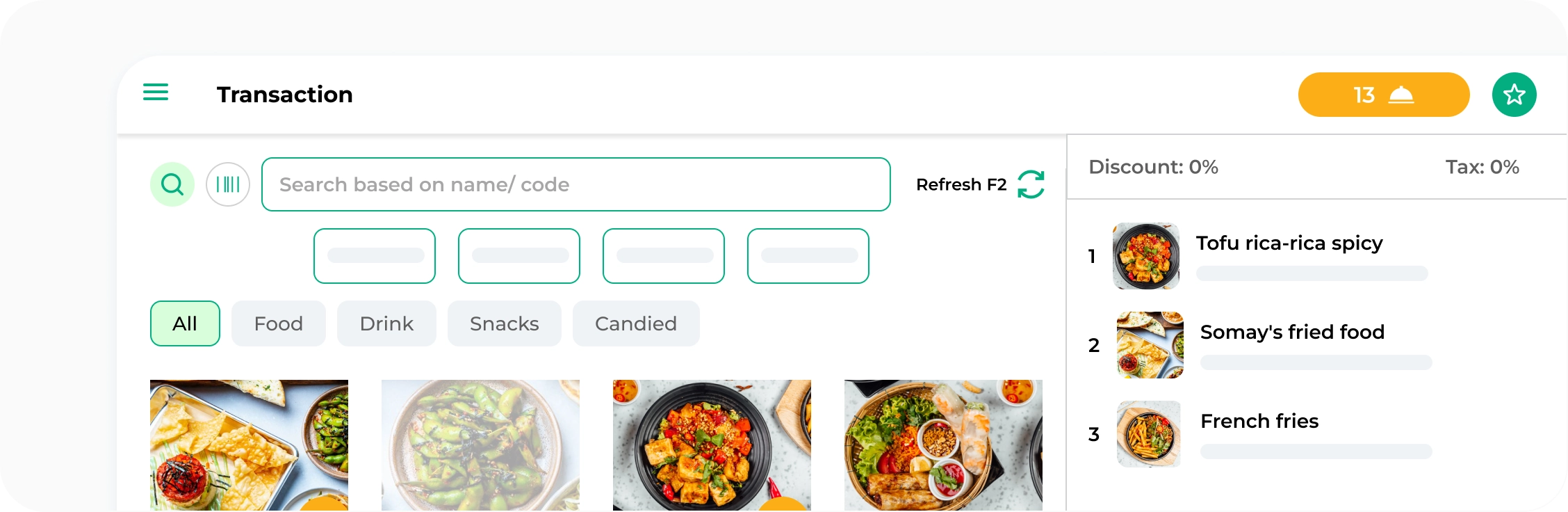
Advantages
Complete Transaction and Order Features
Faster Loading
Modern and Easy Desktop Display
Print receipts with various types of printers
Secure Data, Integrated Cloud System
Owner and Staff Login
Add New Items
Promotions and Loyalty Points
Set Taxes and Discounts
PPOB
Custom Payment Methods
Support EDC BCA
Purchase Feature
Promotions and Loyalty Points
Set Taxes and Discounts
PPOB
Custom Payment Methods
Support EDC BCA
Purchase Feature
Minimum Specifications
- RAM 4 GB
- OS Windows 8 64 BIT
- OS Windows 10 64 BIT
- Processor Intel Dual Core
Link Download
Direct Download
Kasir Pintar POS
Versi 3.2
Get it from Microsoft Store
Kasir Pintar POS
Versi 3.2

- RAM 4 GB
- macOS Monterey (12.0)
Link Download
Get it from App Store
Kasir Pintar POS Mac OS
Versi 3.2

Kasir Pintar Dashboard Desktop
The Kasir Pintar Dashboard Desktop application is a cashier application designed for owners to monitor business activities and perform item management activities.
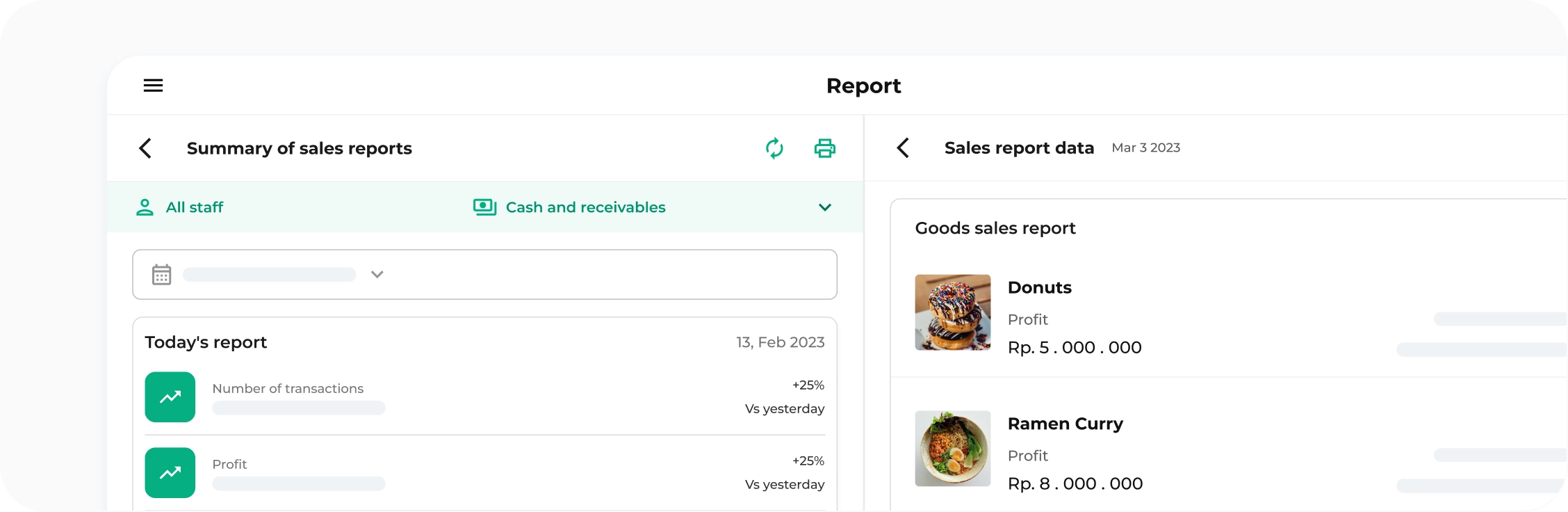
Advantages

Profit and Loss
Viewing the amount of profit and loss over a certain period

Financial Flow Reports
Report on the amount of expenses and income

Sales Report
Viewing the profits and revenue from all transactions

Purchase Report
Viewing the report of goods purchased from suppliers

Inventory Report
Report on the amount of stock incoming and outgoing

Visitor Reports
Viewing the best days and times for visitors to come to the store

Points Report
Viewing data on customer point usage

Installment Report
Viewing data on installment report of customer debts

Expense Report
Viewing expenses in sales or purchase transactions

Tax Report
Calculating all taxes from sales transactions

PPOB Report
Viewing transaction data of PPOB products purchased by customers

Promotion Report
Viewing data on promotions used by customers

QRIS Report
Viewing transaction data using QRIS

Backoffice
Direct link to the web dashboard containing reports & inventory management, etc.
Other Features
Accessible only by the owner
Register new users
Management Menu
Settings (Store, Receipt)
Transaction Notifications by Staff
Shift
Settings (Store, Receipt)
Transaction Notifications by Staff
Shift
Minimum Specifications
- RAM 4 GB
- OS Windows 8 64 BIT
- OS Windows 10 64 BIT
- Processor Intel Dual Core
Link Download
Get it from Microsoft Store
Kasir Pintar Dashboard
Versi 2.1
- RAM 4 GB
- macOS Monterey (12.0)
Link Download
Get it from App Store
Kasir Pintar POS Mac OS
Versi 2.1
Kasir Pintar Desktop Java
For convenience, we recommend using the Kasir Pintar POS Desktop or Kasir Pintar Dashboard Desktop application.
Minimum Specifications
- RAM 4 GB
- OS Windows 8 32 BIT
- Processor Intel Dual Core
Link Download
- Install from Scratch
-
List of New Features
Activation & Download Guide
Activate the Desktop Plugin
Log in to the Kasir Pintar website, go to Settings → Plugins, then click 'Subscribe'.
Choose the POS or Dashboard Application
Choose POS for cashiers or Dashboard for business owners — or use both.
Download from the Available Links
Available on Microsoft Store, Direct Download, or the macOS App Store.
Sign In to Your Kasir Pintar Account
Log in with your Pro account. Data will automatically sync from the mobile app.
Terms and Conditions
- Subscribe to Kasir Pintar Pro App
- Subscribe to Desktop Plugin (Start Subscription Here)
Activation Procedure
- Download Kasir Pintar POS Desktop / Kasir Pintar Dashboard Desktop, according to your needs
- Log in to the Kasir Pintar website
- Select the settings menu, then select the Plugin menu and click Subscribe to Desktop Plugin
- After the plugin is activated, you can access the application
Maximize Your Kasir Pintar with Bundling Plugin Packages
Kasir Pintar Pro

Rp 666.000
per 1 Year
View package details
Kasir Pintar Pro
- Unlimited transactions & View all data
- 10 MB storage capacity + Access to upgrade storage capacity
- PPOB
- Item Management up to 10,000 Data
- 10+ Standard Reports
- Receipt without watermark
- Multi-User (Up to 5 Staff Accounts)
- Learn more
Package
Hemat Bisnis

Rp 1.133.000
per 1 Year
15%Rp 1.332.000
/ year
View package details
Kasir Pintar Pro + Plugin Bussines
- Import more items up to 3000
- Custom Payment Methods (Gopay, OVO, Grabfood, etc.) + automatic MDR calculation
- IMEI, Multi-unit
- Loyalty Points
- Split Bill / Join
- POS Application for iOS
- Learn more
Package
Hemat Desktop
Rp 1.133.000
per year
15%Rp 1.332.000
/ year
View package details
Kasir Pintar Pro + Plugin Desktop
- Transaction Using Computer
- Handle Cash Transactions, Debt, and Receivables
- Print receipts with various types of printers
- Comprehensive Management Features from Products to Suppliers
- Secure Data, Integrated with Cloud System
- Transaction Reports from Sales to Purchases
- Learn more
Package
Heboh
Rp 1.499.000
per year
25%Rp 1.998.000
/ year
View package details
Plugin Bussines
- Import more items up to 3000
- Custom Payment Methods (Gopay, OVO, Grabfood, etc.) + automatic MDR calculation
- IMEI, Multi-unit
- Loyalty Points
- Split Bill / Join
- POS Application for iOS
- Learn more
Plugin Desktop
- Transaction Using Computer
- Handle Cash Transactions, Debt, and Receivables
- Print receipts with various types of printers
- Comprehensive Management Features from Products to Suppliers
- Secure Data, Integrated with Cloud System
- Transaction Reports from Sales to Purchases
- Learn more
Huge Savings!
Kasir Pintar Desktop Guide
Frequently Asked Questions
Everything You Need to Know About the Kasir Pintar Desktop Plugin
The Best Desktop POS Plugin for Windows PC & Mac
The Best PC & Mac POS Software for SMEs Rp 0 / month
Kasir Pintar Desktop Plugin — POS Desktop for staff: larger screen, more comfortable transactions
Kasir Pintar Desktop Plugin — Dashboard Desktop for owners: monitor your business from a Windows PC or Mac
Kasir Pintar Desktop Plugin — Receipt printer support without complicated configuration
Kasir Pintar Desktop Plugin — Real-time cloud synchronization with the mobile app
100 K
Active SMEs
0 M +
Active SMEs
0/5
Rating
100
Transactions
0M+
Transactions
Activate the Kasir Pintar Desktop Plugin Now
 Activate Plugin Now
Don’t Have a Kasir Pintar Account Yet?
Try Kasir Pintar Pro Free for 30 Days
Starting from / month
Start Business
With Kasir Pintar
Run a business automatically with the Kasir Pintar Application and Free Trial for
30 Days without conditions

Kasir Pintar
Other Products
Office Surabaya
Head Office: Jl. Dr. Ir. H. Soekarno No.19, Medokan Semampir, Kota Surabaya
Office Malang
Branch Office: Jl. Papa Biru No.80, Tulusrejo, Kec. Lowokwaru, Kota Malang, Jawa Timur 65141
Info Kasir Pintar via AI