Two Integrated iOS Cashier Apps
Complete your business needs with iOS-based Cashier App from Kasir Pintar.
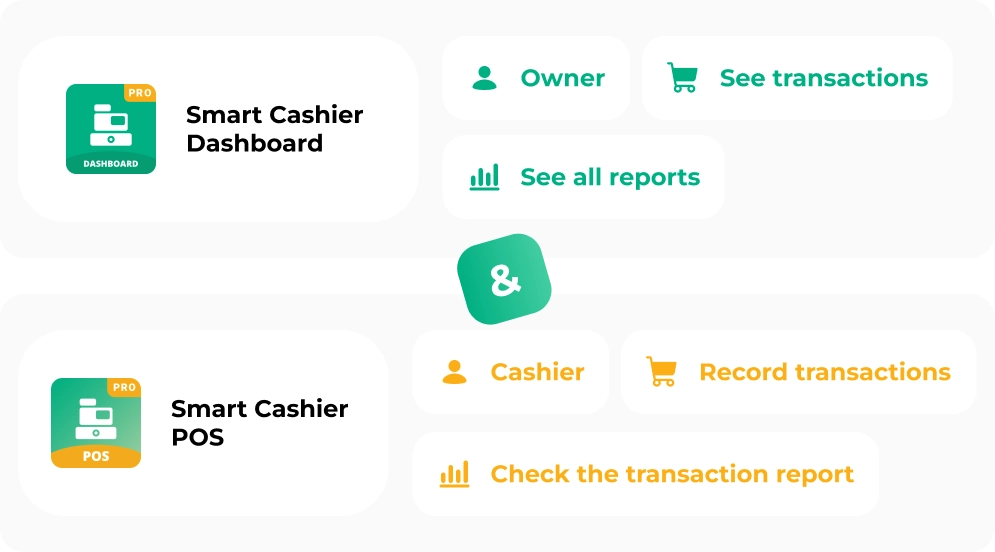
Kasir Pintar creates two different Apps with specific functions and needs to simplify technical operations in business.

Kasir Pintar POS
A Point of Sales Application for IOS users that can be used for recording sales transactions in business. Transactions Made Easier with:
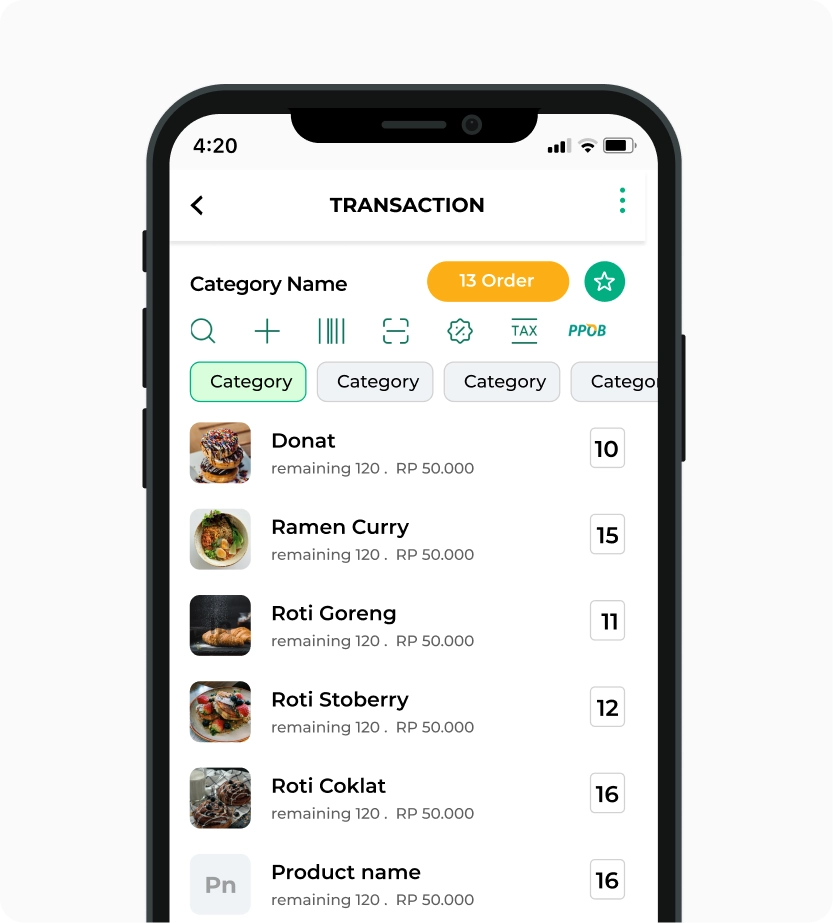
The application is very easy to access even for new employees. Kasir Pintar's UI and UX facilitate cashiers in recording transactions.
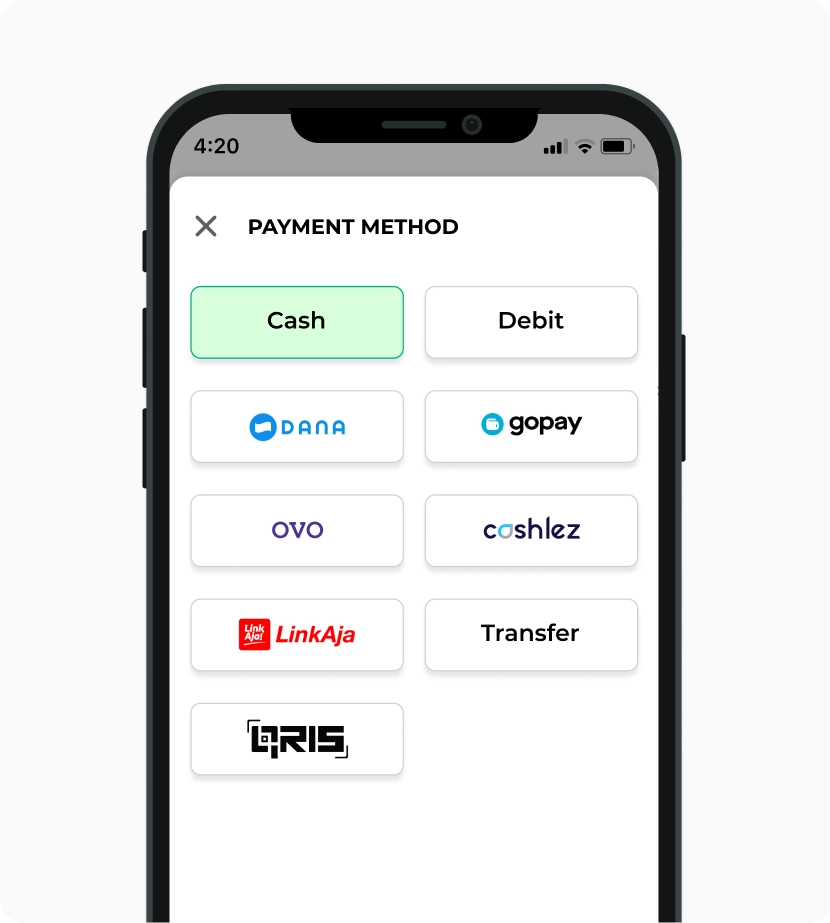
Kasir Pintar can use 2 transaction payment methods, namely cash and non-cash (like debit, credit, and other digital payments).
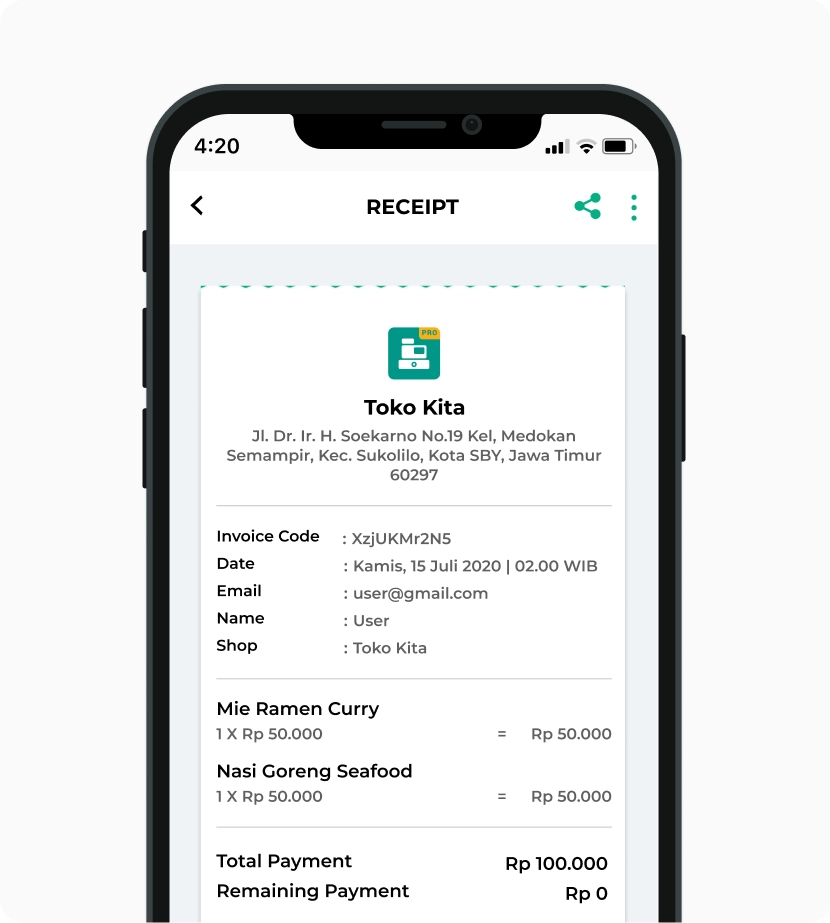
Make your brand more recognized by adding a logo on the shopping receipts of customers. Proven to increase 40% of customers returning to the Store.
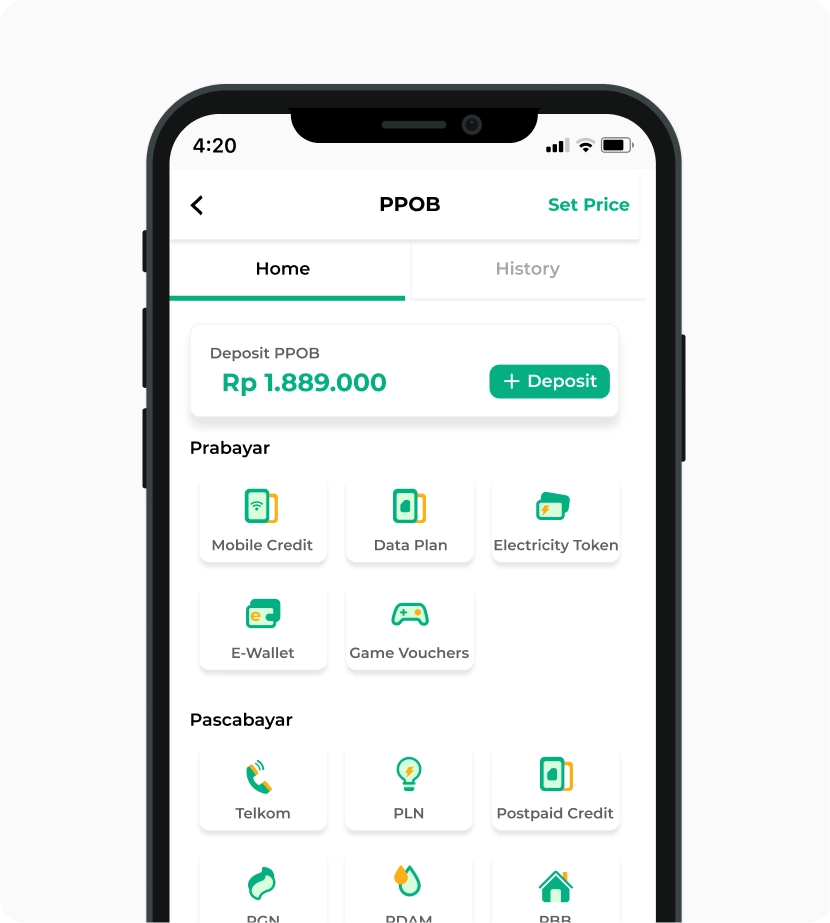
With Kasir Pintar POS, you can specialize business employees without access to reports.

User-friendly Application Interface
The application is very easy to access even for new employees. Kasir Pintar's UI and UX facilitate cashiers in recording transactions.

Record Sales with Various Payment Methods
Kasir Pintar can use 2 transaction payment methods, namely cash and non-cash (like debit, credit, and other digital payments).

Print Receipts with Your Own Business Logo
Make your brand more recognized by adding a logo on the shopping receipts of customers. Proven to increase 40% of customers returning to the Store.

Create Special Access for Cashier Employees
With Kasir Pintar POS, you can specialize business employees without access to reports.
Other Features
Complete Transaction and Order Features
Can log in as staff
Add new items
Promotions and Loyalty Points
Set Taxes and Discounts
PPOB
Custom Payment Methods
Support for BCA EDC
Purchase Features
Requirements
- Subscribe to Kasir Pintar Pro
- Subscribe to Business Plugin


Kasir Pintar Dashboard
An App for Business Owners that can be used to analyze each business report and stock report. You can use Kasir Pintar Dashboard to view all activities happening in Kasir Pintar POS.
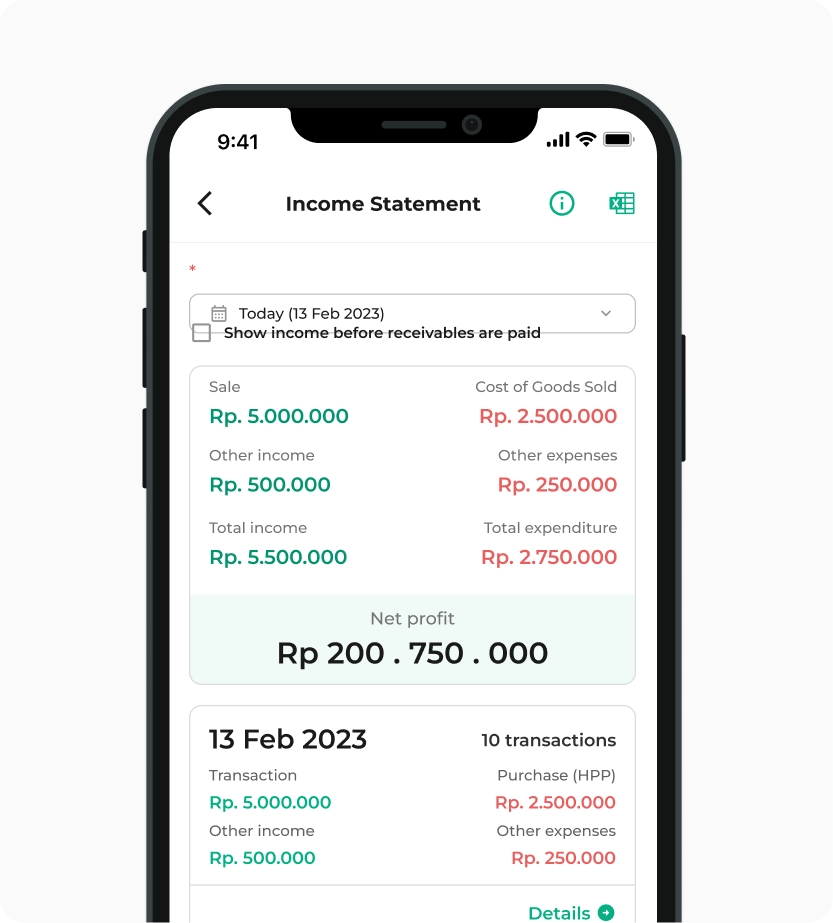
Viewing the amount of profit and loss over a certain period
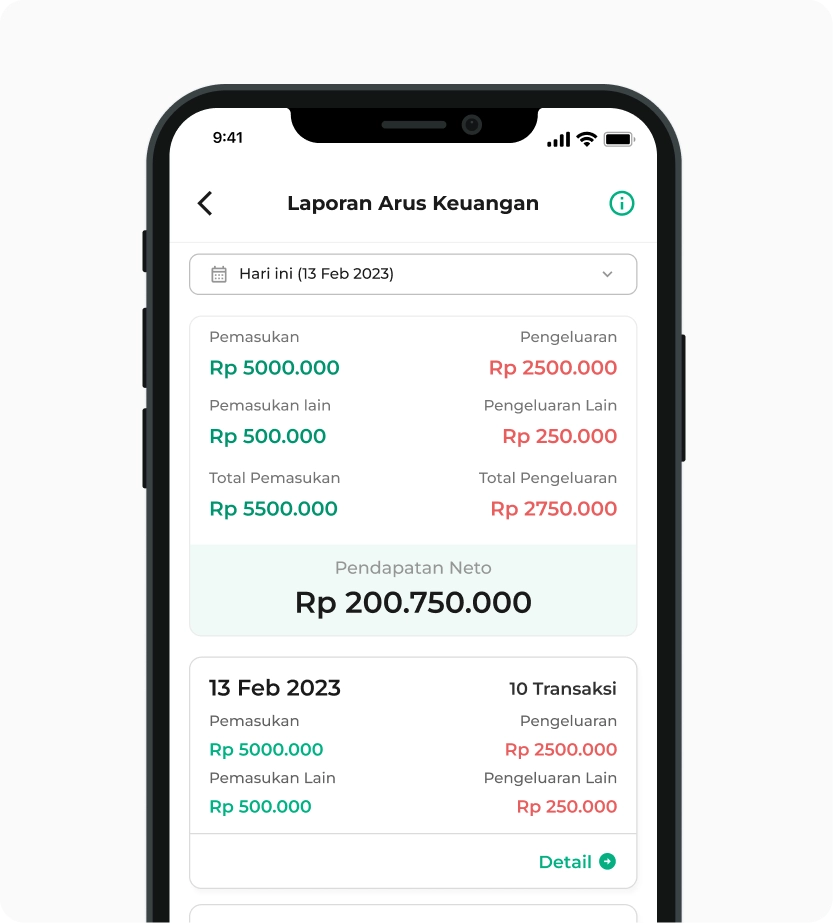
Report on the amount of expenses and income
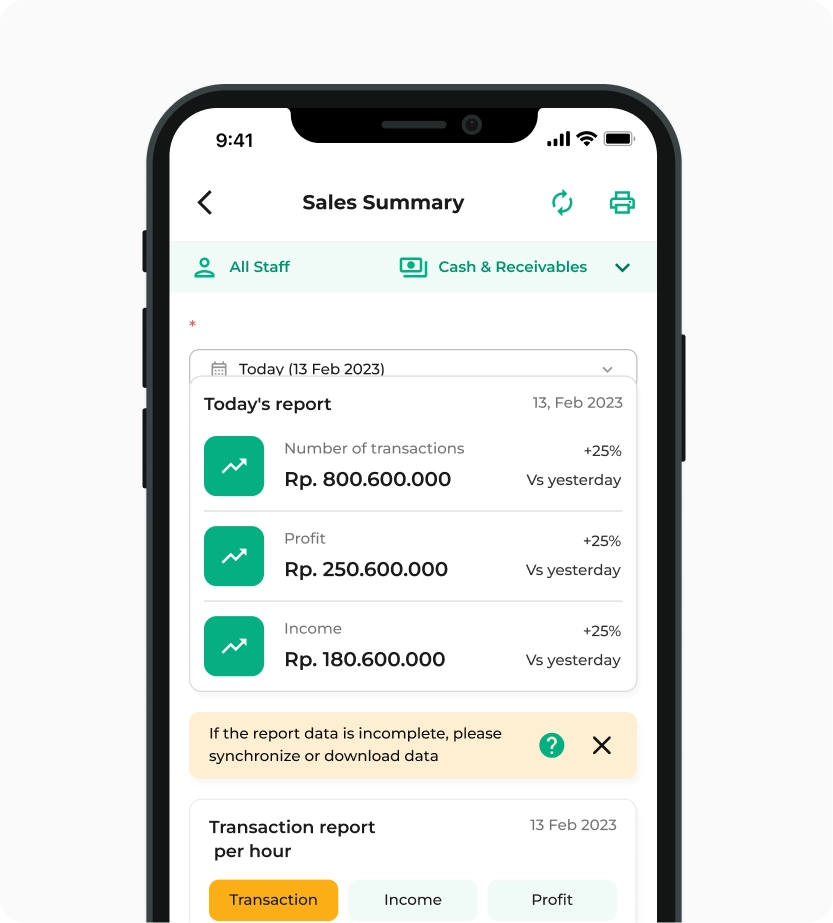
Viewing the profits and revenue from all transactions
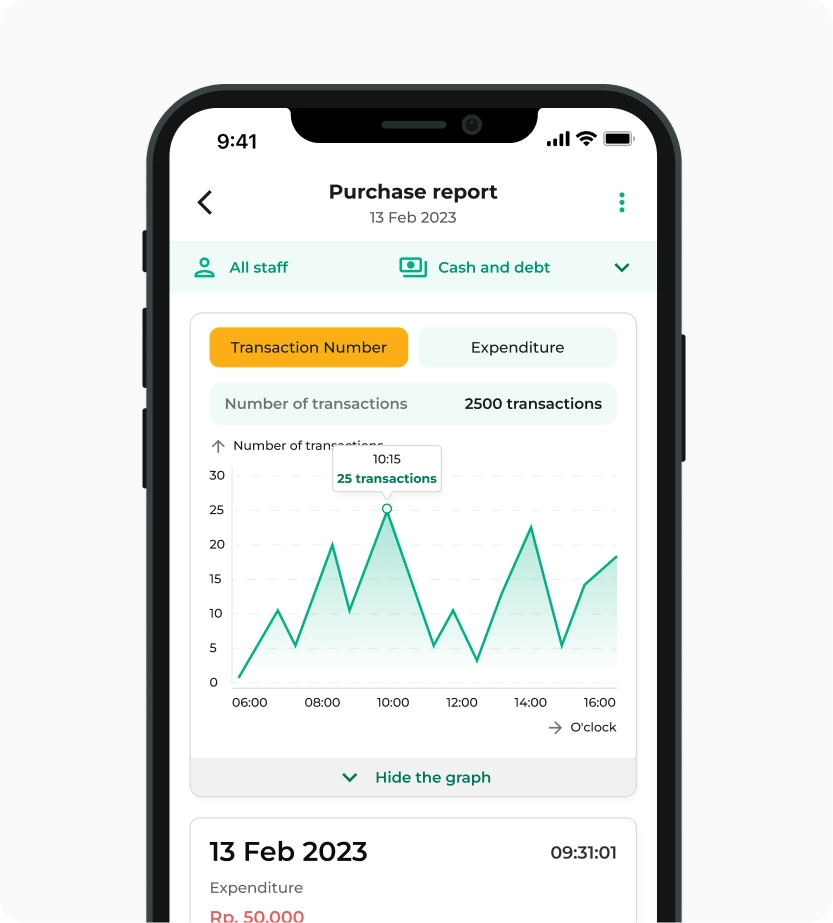
Viewing the report of goods purchased from suppliers
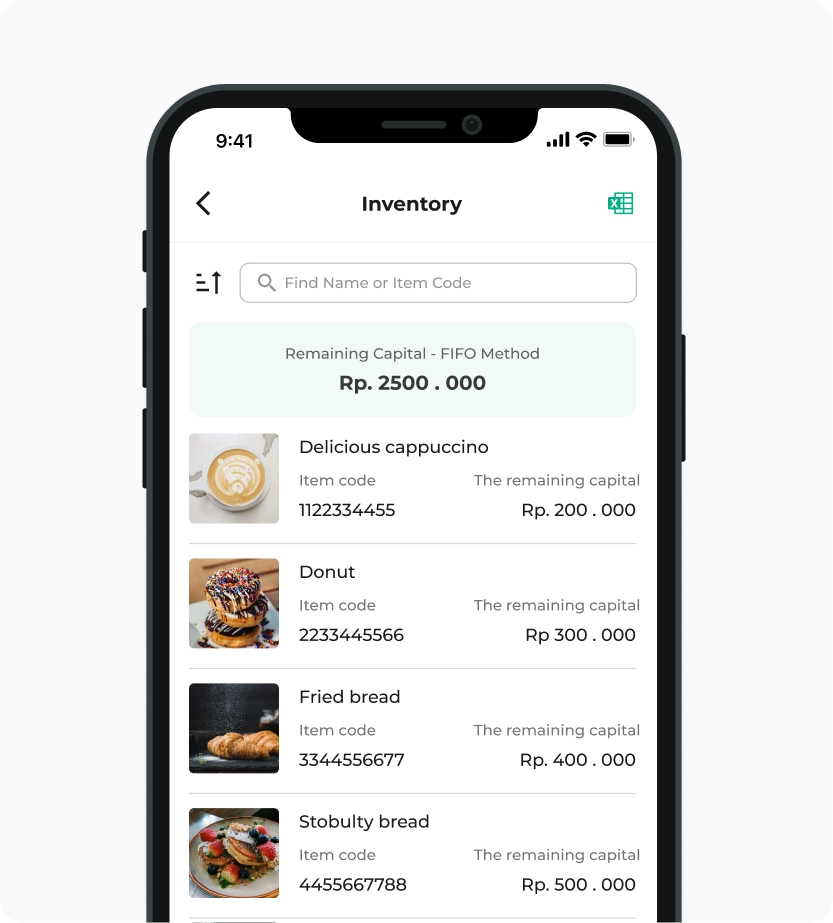
Report on the amount of stock incoming and outgoing
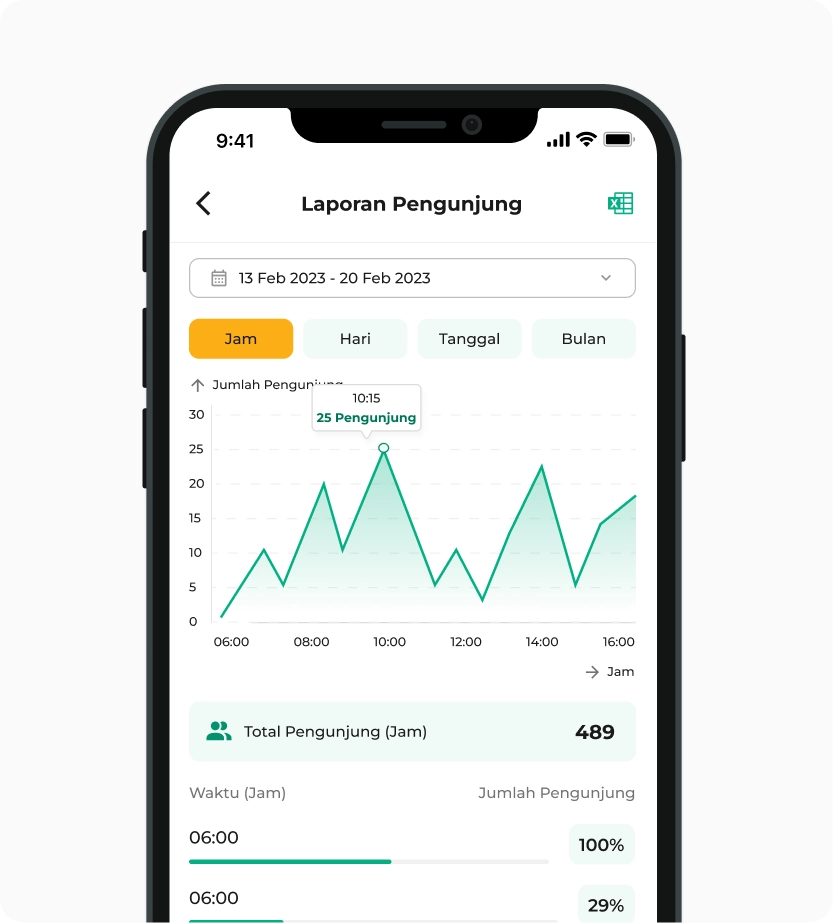
Viewing the best days and times for visitors to come to the store

Points Report
Viewing data on customer point usage

Installment Report
Viewing data on installment report of customer debts

Expense Report
Viewing expenses in sales or purchase transactions

Tax Report
Calculating all taxes from sales transactions

PPOB Report
Viewing transaction data of PPOB products purchased by customers

Promotion Report
Viewing data on promotions used by customers

QRIS Report
Viewing transaction data using QRIS

Backoffice
Direct link to the web dashboard containing reports & inventory management, etc.

Profit and Loss
Viewing the amount of profit and loss over a certain period

Financial Flow Reports
Report on the amount of expenses and income

Sales Report
Viewing the profits and revenue from all transactions

Purchase Report
Viewing the report of goods purchased from suppliers

Inventory Report
Report on the amount of stock incoming and outgoing

Visitor Reports
Viewing the best days and times for visitors to come to the store
Points Report
Viewing data on customer point usage
Installment Report
Viewing data on installment report of customer debts
Expense Report
Viewing expenses in sales or purchase transactions
Tax Report
Calculating all taxes from sales transactions
PPOB Report
Viewing transaction data of PPOB products purchased by customers
Promotion Report
Viewing data on promotions used by customers
QRIS Report
Viewing transaction data using QRIS
Backoffice
Direct link to the web dashboard containing reports & inventory management, etc.
Other Features
Accessible only by the owner
Register new users
Management Menu
Settings (Store, Receipt)
Transaction Notifications by Staff
Shift
Requirements
- Subscribe to Kasir Pintar Pro
- Subscribe to Business Plugin
FAQ Kasir Pintar iOS
Kasir Pintar Dashboard intended for owners who can access goods stock in the stock management menu and see business activities in the report menu.
Kasir Pintar POS intended for staff who can access Transaction activities in the transaction menu, can only view transaction data reports and cannot manage goods stock.
The Kasir Pintar POS is available in the business plugin because development in the iOS system is more complex than in the Android system. As a result, the maintenance cost of this application is higher.
If you have any questions related to Kasir Pintar iOS, please contact CS Kasir Pintar
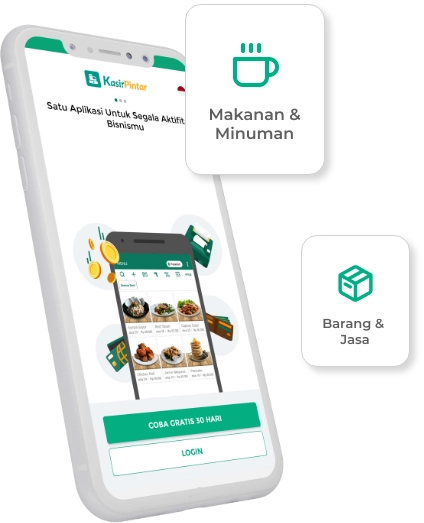
Start Business
With Kasir Pintar
Run a business automatically with the Kasir Pintar Application and Free Trial for
30 Days without conditions

Kasir Pintar
Other Products
Office Surabaya
Head Office: Jl. Dr. Ir. H. Soekarno No.19, Medokan Semampir, Kota Surabaya
Office Malang
Branch Office: Jl. Papa Biru No.80, Tulusrejo, Kec. Lowokwaru, Kota Malang, Jawa Timur 65141
Info Kasir Pintar via AI